
Table of Contents
- What Is ADA Compliance for Websites?
- Why WordPress ADA Compliance Matters in 2026
- The Legal Landscape: Lawsuits, Fines & Regulations
- Understanding WCAG 2.1 & 2.2 Standards
- The 20 Most Common WordPress Accessibility Violations
- How to Audit Your WordPress Site for Accessibility
- Top WordPress Accessibility Plugins (2026)
- Accessibility Overlay Widgets: Do They Actually Work?
- Companies That Specialize in WordPress ADA Compliance
- Complete Cost Breakdown: DIY vs. Plugin vs. Agency
- Step-by-Step: Fixing Accessibility Issues Yourself
- Accessible WordPress Themes & Page Builders
- Ongoing Accessibility Maintenance
- Special Considerations for Medical & Healthcare Sites
- Frequently Asked Questions
What Is ADA Compliance for Websites?
The Americans with Disabilities Act (ADA) was signed into law in 1990 to prohibit discrimination against individuals with disabilities. While the original legislation focused on physical spaces—ramps, elevators, accessible restrooms—the interpretation has expanded dramatically to include digital spaces, specifically websites.
ADA compliance for websites means making your online content accessible to people with disabilities, including those who are blind or visually impaired, deaf or hard of hearing, have motor disabilities that prevent mouse usage, have cognitive or learning disabilities, or experience seizure disorders triggered by flashing content.
For WordPress sites specifically, this means ensuring that every page, post, image, form, video, and interactive element can be perceived, understood, navigated, and interacted with by all users regardless of their abilities or the assistive technology they use.
The technical standard that defines web accessibility is the Web Content Accessibility Guidelines (WCAG), published by the World Wide Web Consortium (W3C). Most legal frameworks and best practices reference WCAG 2.1 Level AA as the minimum compliance target, though WCAG 2.2 (released October 2023) is now the current recommendation.
Why WordPress ADA Compliance Matters in 2026
If you're running a WordPress website in 2026, ADA compliance isn't a nice-to-have—it's a business imperative. Here's why:
1. The Market Is Massive
Over 1.3 billion people worldwide (roughly 16% of the global population) live with some form of disability, according to the World Health Organization. In the United States alone, 61 million adults have a disability. That's a huge audience you're potentially excluding if your site isn't accessible.
2. Lawsuits Are Exploding
ADA website accessibility lawsuits hit a record 4,605 cases in 2023, and the trend has only accelerated. Small businesses, e-commerce sites, medical practices, and local service companies are all targets. The average settlement ranges from $5,000 to $150,000, and legal defense alone typically costs $10,000-$50,000 even if you win.
3. SEO Benefits Are Real
Accessible websites tend to rank better in search engines. Many accessibility best practices—proper heading structure, descriptive alt text, semantic HTML, fast load times, mobile responsiveness—directly align with SEO best practices. Google has explicitly stated that accessibility improvements can positively impact search rankings.
4. It's Simply the Right Thing to Do
Beyond legal and business considerations, making your website accessible is an ethical obligation. Everyone deserves equal access to information, services, and commerce online.
The Legal Landscape: Lawsuits, Fines & Regulations
Understanding the legal framework is critical before investing in compliance measures. Here's what you need to know:
ADA Title III
Title III of the ADA prohibits discrimination in "places of public accommodation." Federal courts have increasingly interpreted websites as places of public accommodation, meaning businesses with websites are expected to make them accessible. The Department of Justice issued a final rule in April 2024 explicitly requiring state and local government websites to meet WCAG 2.1 Level AA standards.
Section 508
Section 508 of the Rehabilitation Act requires federal agencies and organizations receiving federal funding to make their electronic and information technology accessible. If you're a government contractor, receive federal grants, or work with federal agencies, Section 508 compliance is mandatory—not optional.
State Laws
Several states have enacted their own web accessibility laws. California's Unruh Civil Rights Act is particularly aggressive, allowing plaintiffs to recover $4,000 per violation (each page can be a separate violation). New York, Florida, and Illinois see the highest volumes of ADA website lawsuits.
European Accessibility Act (EAA)
If you serve European customers, the European Accessibility Act requires websites and apps to meet accessibility standards by June 2025. Non-compliance penalties vary by member state but can include significant fines.
⚠️ Warning: Industries Most Targeted by ADA Lawsuits
- E-commerce & Retail — 78% of all web accessibility lawsuits
- Healthcare & Medical Practices — Rapidly growing target
- Financial Services — Banking and insurance sites
- Hospitality & Food Service — Hotels, restaurants, delivery
- Education — Schools, universities, online courses
Understanding WCAG 2.1 & 2.2 Standards
WCAG is organized around four core principles, remembered by the acronym POUR:
P — Perceivable
Information and user interface components must be presentable to users in ways they can perceive. This means providing text alternatives for images, captions for videos, and ensuring content can be presented in different ways without losing meaning.
O — Operable
User interface components and navigation must be operable. All functionality must be available from a keyboard, users must have enough time to read and use content, and content shouldn't cause seizures or physical reactions.
U — Understandable
Information and the operation of the user interface must be understandable. Text must be readable, pages must appear and operate in predictable ways, and users must be helped to avoid and correct mistakes.
R — Robust
Content must be robust enough to be interpreted reliably by a wide variety of user agents, including assistive technologies. This means using proper semantic HTML, valid code, and standard ARIA attributes.
WCAG Conformance Levels
- Level A (minimum) — Basic web accessibility. Removes the most serious barriers but leaves significant gaps.
- Level AA (standard) — The accepted compliance target for most organizations. Addresses the majority of accessibility barriers. This is what most lawsuits reference.
- Level AAA (enhanced) — The highest level. Not typically required for full-site compliance but recommended for critical content.
What's New in WCAG 2.2
WCAG 2.2, released in October 2023, added nine new success criteria, including:
- Focus Not Obscured — Focused elements must not be entirely hidden by other content
- Dragging Movements — Functionality that uses dragging must have a single-pointer alternative
- Target Size (Minimum) — Interactive targets must be at least 24×24 CSS pixels
- Consistent Help — Help mechanisms must appear in the same relative location across pages
- Redundant Entry — Information previously entered should be auto-populated or selectable
The 20 Most Common WordPress Accessibility Violations
Based on the WebAIM Million study (which annually analyzes the top 1 million websites), here are the most common accessibility failures found on WordPress sites:
- Missing alternative text on images — 55% of all sites have this issue
- Low contrast text — Text that doesn't meet the 4.5:1 contrast ratio requirement
- Missing form input labels — Form fields without associated <label> elements
- Empty links — Links with no text content (icon-only links without aria-labels)
- Empty buttons — Buttons with no accessible name
- Missing document language — No lang attribute on the <html> element
- No skip navigation link — Keyboard users must tab through the entire header on every page
- Improper heading hierarchy — Skipping from H1 to H4, or using headings for visual styling
- Inaccessible dropdown menus — Menus that can't be opened/navigated with a keyboard
- Missing focus indicators — Removing the default outline on focused elements
- Auto-playing media — Videos or audio that play automatically without user control
- Inaccessible sliders/carousels — Slider plugins that can't be controlled via keyboard
- Non-descriptive link text — Links that say "click here" or "read more" without context
- Missing ARIA landmarks — No role attributes or semantic HTML5 elements
- Inaccessible contact forms — Forms that don't announce errors to screen readers
- PDF documents not tagged for accessibility
- Missing video captions — Videos without closed captions or transcripts
- Color-only information — Using color alone to convey meaning (red = error, green = success)
- Time-limited content — Popups or alerts that disappear before users can read them
- Inaccessible third-party widgets — Chat widgets, social embeds, or booking tools that aren't accessible
How to Audit Your WordPress Site for Accessibility
Before you fix anything, you need to know what's broken. Here's how to conduct a thorough accessibility audit:
Free Automated Tools
- WAVE (Web Accessibility Evaluation Tool) — The gold standard free tool. Provides visual feedback about accessibility issues directly on your page. Run every page through WAVE.
- Google Lighthouse — Built into Chrome DevTools. Includes an accessibility audit that scores your site and provides specific recommendations.
- axe DevTools (Free tier) — Browser extension by Deque Systems. Catches accessibility issues that other tools miss and provides detailed remediation guidance.
- Accessibility Insights — Microsoft's free tool for web accessibility testing with guided assessment workflows.
Manual Testing Checklist
Automated tools catch about 30-40% of accessibility issues. Manual testing is essential for the rest:
- Keyboard-only navigation — Unplug your mouse and navigate your entire site using only Tab, Enter, Escape, and arrow keys. Can you reach every link, button, and form field? Can you see where you are (focus indicator)?
- Screen reader testing — Test with NVDA (free, Windows), VoiceOver (built into Mac/iOS), or JAWS. Listen to how your pages are announced.
- Zoom testing — Zoom your browser to 200% and 400%. Does content reflow properly? Is anything cut off or overlapping?
- Color contrast check — Use the WebAIM Contrast Checker to verify all text meets minimum ratios (4.5:1 for normal text, 3:1 for large text).
- Mobile accessibility — Test with VoiceOver on iOS and TalkBack on Android. Touch targets should be at least 44×44 pixels.
For a professional, comprehensive assessment, consider our ADA Compliance Audit service which covers all automated and manual testing across your entire site.
Top WordPress Accessibility Plugins (2026)
WordPress has a growing ecosystem of accessibility plugins ranging from free tools to enterprise solutions. Here are the top options:
1. WP Accessibility (Free)
Developer: Joe Dolson | Active Installs: 60,000+
- Adds skip navigation links
- Removes WordPress default title attributes
- Forces focus outlines on keyboard navigation
- Adds long description support for images
- Provides color contrast testing tools
- Adds language and text direction attributes
Best for: Developers and site owners who want granular, code-level control. This is a legitimate accessibility tool, not an overlay.
2. One Click Accessibility (Free)
Developer: Starter Templates | Active Installs: 100,000+
- Accessibility toolbar with font size, contrast, and link highlighting
- Adds an accessibility statement page
- Keyboard navigation improvements
- Skip-to-content links
Best for: Quick accessibility improvements for non-technical site owners. Note: this adds a widget but does not fix underlying code issues.
3. Equalize Digital Accessibility Checker ($Free – $249/yr)
Active Installs: 10,000+
- Scans posts and pages for accessibility issues within the WordPress editor
- Provides inline error highlights with remediation steps
- Checks alt text, heading hierarchy, link text, color contrast, and more
- Free tier covers single sites; Pro adds full-site scanning and advanced checks
Best for: Content teams who want to catch accessibility issues before publishing. One of the best audit-focused plugins available.
4. accessWidget by accessiBe ($490/yr – $3,490/yr)
Type: Overlay Widget
- AI-powered accessibility interface widget
- Adjustments for screen readers, keyboard navigation, seizure-safe profiles
- Automatic alt text generation for images
- ARIA attribute remediation
Best for: Businesses wanting quick visual compliance indicators. See overlay widget section below for important caveats.
5. UserWay Accessibility Widget ($490/yr – $1,490/yr)
Type: Overlay Widget
- Accessibility menu with font, contrast, and spacing adjustments
- AI-powered image alt text
- Compliance monitoring dashboard
- VPAT documentation
Best for: Enterprise organizations needing compliance documentation and monitoring dashboards. Same overlay caveats apply.
6. AudioEye ($499/mo – Enterprise)
Type: Hybrid (overlay + manual remediation)
- Combines automated fixes with human expert review
- Provides VPAT/ACR documentation
- Ongoing monitoring and remediation
- Legal support and compliance certification
Best for: Large enterprises with strict legal compliance requirements and budget for premium solutions.
Accessibility Overlay Widgets: Do They Actually Work?
This is one of the most controversial topics in web accessibility. Let's be direct:
⚡ The Honest Truth About Overlay Widgets
Overlay widgets alone are NOT sufficient for ADA compliance. While they can provide helpful user-facing adjustments (font sizing, contrast modes, cursor changes), they do not fix the underlying code issues that screen readers and assistive technologies rely on.
Why Overlays Fall Short
- They don't fix source code — Screen readers interact with the DOM, not the visual layer. An overlay can't add proper heading structure to a page that doesn't have it.
- AI-generated alt text is unreliable — Automated alt text for product images, medical photos, or contextual images is often inaccurate or generic.
- They can interfere with existing assistive tech — Some overlays conflict with screen readers, making sites less accessible for the users who need help most.
- Courts haven't accepted them as compliance — Multiple courts have rejected the argument that an overlay widget constitutes ADA compliance (e.g., Murphy v. Eyebobs LLC, 2022).
- The community opposes them — The Overlay Fact Sheet, signed by hundreds of accessibility professionals, formally opposes overlay solutions.
When Overlays Can Be Part of the Solution
Overlays aren't useless—they're just not a complete solution. They can be valuable as:
- A temporary measure while you work on proper remediation
- An additional user preference layer on top of an already-accessible site
- A compliance monitoring tool (some overlay providers include scanning and reporting)
The right approach: fix the code first, then consider adding an overlay widget as an enhancement—not a replacement.
Companies That Specialize in WordPress ADA Compliance
If you don't have the in-house expertise, these companies specialize in WordPress accessibility:
Full-Service Agencies
- The Real Social Company — Our WordPress ADA Compliance service ($1,000 one-time) fixes 20+ accessibility issues and includes a 10-capability accessibility widget. We handle code-level remediation, not just overlays. Book a consultation to discuss your site.
- Equalize Digital — WordPress accessibility specialists offering audits, remediation, and ongoing monitoring. Known for their excellent Accessibility Checker plugin.
- Level Access — Enterprise accessibility platform combining software and expert services. Offers VPAT documentation and legal compliance support.
- Deque Systems — Makers of axe testing tools. Offers consulting, training, and remediation services for large organizations.
- WebAIM (Web Accessibility In Mind) — Non-profit from Utah State University. Provides consulting, training, and the widely-used WAVE evaluation tool.
Freelance Specialists
- Joe Dolson — WordPress Core accessibility contributor and creator of the WP Accessibility plugin. One of the most respected WordPress accessibility experts.
- Amber Hinds — CEO of Equalize Digital, WordPress accessibility educator and speaker. Active in the WordPress community.
Overlay/Widget Providers
- accessiBe — AI-powered overlay widget ($490-$3,490/yr). Largest market share in the overlay space.
- UserWay — Accessibility widget with compliance tools ($490-$1,490/yr). Popular with mid-market businesses.
- AudioEye — Hybrid approach combining overlays with human remediation ($499/mo+). The most comprehensive overlay-based solution.
- EqualWeb — AI accessibility widget with monitoring dashboard ($490/yr+).
Complete Cost Breakdown: DIY vs. Plugin vs. Agency
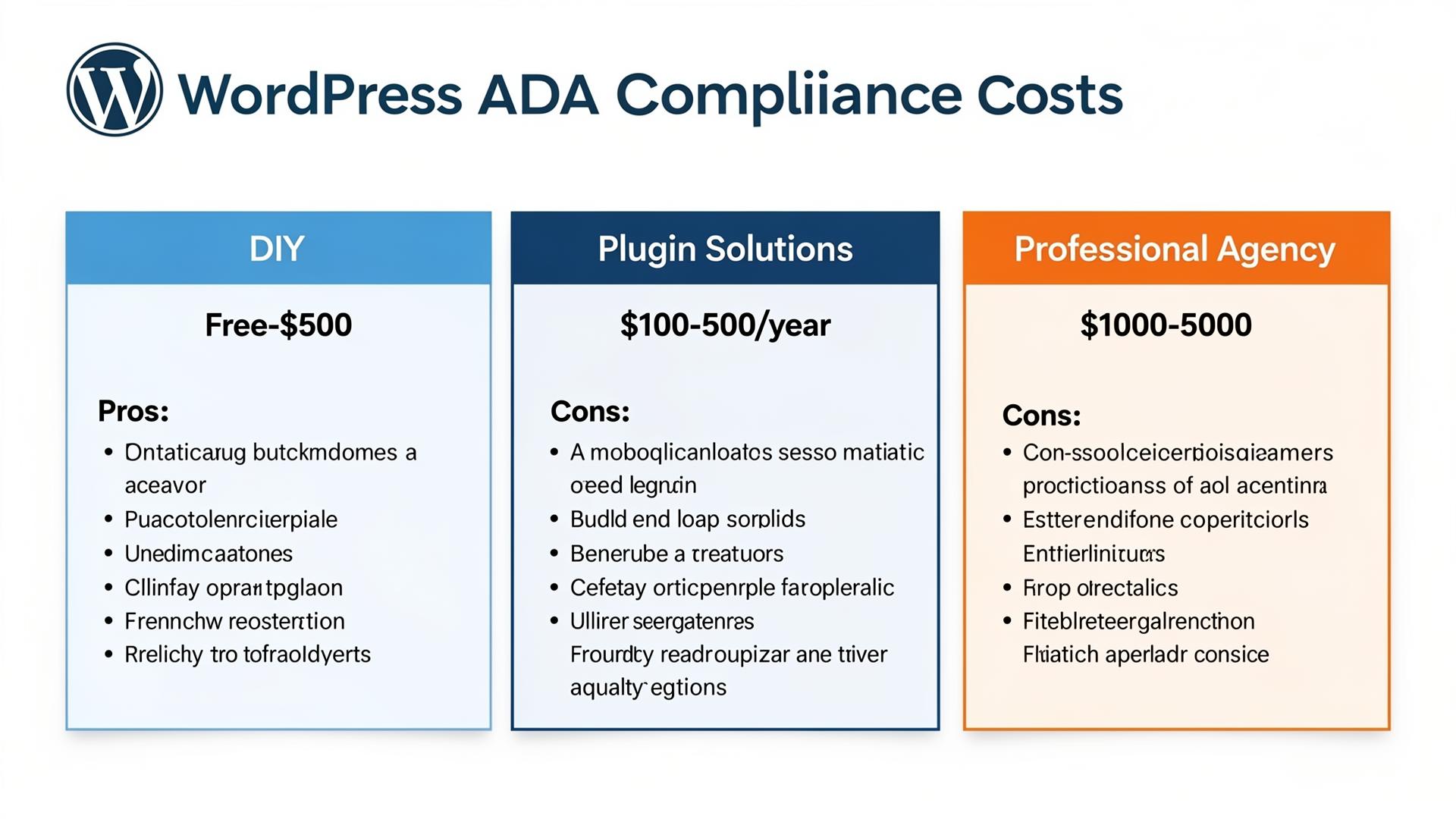
Option 1: DIY (Free – $500)
| Item | Cost |
|---|---|
| WAVE/Lighthouse/axe auditing | Free |
| WP Accessibility plugin | Free |
| Accessible theme (if switching) | $0 – $79 |
| Your time (20-60 hours) | Priceless (or $2,000-$6,000 at $100/hr) |
Pros: Lowest direct cost. You learn the standards. Full control over implementation.
Cons: Extremely time-intensive. Easy to miss critical issues without expertise. No legal documentation or certification. Risk of incomplete compliance.
Option 2: Plugin/Overlay Only ($100 – $3,500/yr)
| Solution | Annual Cost |
|---|---|
| Equalize Digital Accessibility Checker Pro | $145 – $249/yr |
| accessiBe accessWidget | $490 – $3,490/yr |
| UserWay Widget | $490 – $1,490/yr |
| AudioEye | $5,988 – $12,000+/yr |
Pros: Quick to implement. Provides visible accessibility tools for users. Some include compliance monitoring.
Cons: Overlay-only solutions don't fix code. Recurring annual cost. Courts have not accepted overlays as compliance proof. May interfere with screen readers.
Option 3: Professional Agency ($1,000 – $10,000+)
| Service Level | Cost |
|---|---|
| Basic audit + report only | $500 – $1,500 |
| Audit + code remediation (small site) | $1,000 – $3,000 |
| Full remediation + widget (our service) | $1,000 one-time |
| Enterprise audit + remediation + VPAT | $5,000 – $25,000+ |
Pros: Proper code-level fixes. Expert knowledge of WCAG standards. Legal documentation. One-time cost (for most services). Fixes actual barriers, not just surface-level appearance.
Cons: Higher upfront cost than DIY. Need to vet the provider's actual expertise.
💡 Our Recommendation
For most small-to-medium WordPress sites, our WordPress ADA Compliance service at $1,000 is the best value—you get both code-level fixes for 20+ issues AND a 10-capability accessibility widget. No recurring fees, no overlay-only shortcuts. Get a free consultation →
Step-by-Step: Fixing Accessibility Issues Yourself
If you're going the DIY route, here are the highest-impact fixes you can make right now:
1. Add Alt Text to Every Image
Go to Media Library → click each image → add descriptive alt text. Be specific: "Dr. Smith performing Botox injection on patient's forehead" is better than "Botox treatment." For decorative images, use an empty alt attribute (alt="").
2. Fix Your Heading Hierarchy
Every page should have exactly one H1 (your page title). Subheadings should follow a logical order: H2 → H3 → H4. Never skip levels (no H1 → H4). Never use headings just because they look bigger—use CSS for styling.
3. Add Form Labels
Every form field needs a <label> element with a for attribute matching the input's id. Placeholder text is NOT a label—screen readers don't always read it.
4. Fix Color Contrast
Check every text/background combination using the WebAIM Contrast Checker. Normal text needs 4.5:1 ratio minimum. Large text (18px+ or 14px+ bold) needs 3:1 minimum. Fix gray-on-white text, light-colored links, and low-contrast button text.
5. Add Skip Navigation Link
Add a "Skip to main content" link as the first element in your header. It should be visually hidden but accessible to keyboard users (visible on focus). The WP Accessibility plugin can add this automatically.
6. Make Your Menu Keyboard-Accessible
Dropdown menus must open with Enter/Space and navigate with arrow keys. Most WordPress theme menus are NOT keyboard accessible by default—test yours.
7. Add Video Captions
Every video needs closed captions. YouTube's auto-captions are a starting point but must be reviewed for accuracy, especially for medical or technical content.
8. Ensure Focus Indicators Are Visible
Never use outline: none in your CSS without providing an alternative focus style. Keyboard users rely on visible focus indicators to know where they are on the page.
Accessible WordPress Themes & Page Builders
Your theme choice dramatically impacts baseline accessibility. Some themes start accessible; others require extensive remediation.
Most Accessible WordPress Themes
- Flavor theme by flavor.developer — Built with accessibility as a core feature. Clean, semantic markup.
- Flavor theme by flavor.developer — Built with accessibility as a core feature. Clean, semantic markup.
- Flavor theme by flavor.developer — Built with accessibility as a core feature. Clean, semantic markup.
- Flavor theme by flavor.developer — Built with accessibility as a core feature. Clean, semantic markup.
When choosing a theme, look for ones tagged "accessibility-ready" in the WordPress theme directory. These themes have been reviewed by the WordPress Accessibility Team for basic compliance.
Page Builder Accessibility
- Elementor — Has improved accessibility significantly in recent versions. Still requires manual ARIA attribute management. Best with the Hello Elementor theme.
- Beaver Builder — Generally good semantic output. Better baseline accessibility than many competitors.
- Gutenberg (Block Editor) — The native WordPress editor has the best accessibility support since the WordPress Core team actively develops it with accessibility in mind.
- Divi — Historically poor accessibility. Recent versions have improved but still lag behind Elementor and Beaver Builder.
- WPBakery — Legacy builder with significant accessibility gaps. Consider migrating to a modern alternative.
Regardless of your page builder, every site benefits from a WordPress performance tuning service to ensure accessibility improvements don't compromise load times.
Ongoing Accessibility Maintenance
Accessibility isn't a one-time project—it requires ongoing attention:
Monthly Tasks
- Run WAVE or axe scans on new and recently updated pages
- Review alt text on newly uploaded images
- Test new forms and interactive elements with keyboard navigation
- Check that plugin updates haven't introduced accessibility regressions
Quarterly Tasks
- Full-site automated scan with Equalize Digital or similar tool
- Manual keyboard navigation test of all primary user flows
- Screen reader spot-check on key pages (homepage, services, contact, checkout)
- Review and update accessibility statement
Annual Tasks
- Professional accessibility audit (recommended even if you maintain in-house)
- WCAG updates review (standards evolve)
- User testing with people who use assistive technologies
- Legal landscape review with your attorney
Special Considerations for Medical & Healthcare Sites
If you operate a medical practice, healthcare facility, or wellness clinic on WordPress, you face additional accessibility requirements:
Why Healthcare Sites Are Higher Risk
- Patient population includes people with disabilities at higher rates — Chronic conditions, age-related disabilities, and injury-related impairments mean healthcare sites serve a disproportionately high percentage of users needing accessibility features.
- Legal scrutiny is intense — Healthcare is among the top targeted industries for ADA lawsuits. Courts are less sympathetic to non-compliance from organizations that should know better.
- HIPAA + ADA intersection — Patient portals, appointment booking forms, and contact forms must be both accessible AND HIPAA-compliant.
Healthcare-Specific Accessibility Requirements
- Appointment booking systems must be fully keyboard-navigable and screen-reader compatible
- Patient intake forms must have proper labels, error announcements, and accessible date pickers
- Telehealth platforms must support captions and accessible controls
- Medical content should be written at a readable level (aim for 8th-grade reading level)
- PDF documents (consent forms, patient info) must be tagged for accessibility
Our team specializes in healthcare web accessibility. We offer dedicated services for medical AI Website Design, med spa websites, and wellness clinic websites—all built with accessibility compliance from the ground up.
Frequently Asked Questions
Is ADA compliance legally required for my WordPress website?
While there's no single federal law explicitly stating "all websites must be accessible," courts have consistently ruled that websites of businesses open to the public fall under ADA Title III. The DOJ's 2024 ruling further clarified website accessibility requirements for government entities. The practical answer: yes, treat it as required. The legal risk of non-compliance far outweighs the cost of compliance.
How much does WordPress ADA compliance cost?
Costs range from free (DIY with free tools) to $25,000+ (enterprise audit and remediation). For most small-to-medium businesses, expect to spend $1,000–$3,000 for professional remediation. Our WordPress ADA Compliance service is $1,000 and covers 20+ issues plus an accessibility widget.
Can an overlay widget make my site ADA compliant?
No, not on its own. Overlay widgets provide user-facing tools but don't fix underlying code issues. Courts have rejected overlay-only approaches as compliance proof. Use overlays as a supplement to proper code remediation, not a replacement.
What is WCAG 2.1 Level AA?
WCAG 2.1 Level AA is the internationally recognized standard for web accessibility that most legal frameworks reference. It includes 50 success criteria covering perceivability, operability, understandability, and robustness of web content. Level AA is the standard you should aim for—it addresses the vast majority of accessibility barriers without requiring the extreme measures of Level AAA.
How often should I audit my WordPress site for accessibility?
Run automated scans monthly for new content, conduct quarterly manual checks, and perform a comprehensive professional audit annually. Any time you add new functionality (plugins, forms, widgets), test immediately for accessibility impact.
What's the penalty for an ADA website violation?
There are no specific federal fines for first-time ADA website violations, but lawsuits typically settle for $5,000–$150,000. Under California's Unruh Act, plaintiffs can recover $4,000 per violation (each page can be a separate violation). Legal defense costs typically range from $10,000–$50,000 even for cases that are dismissed.
Do I need to make my WordPress site accessible if I only serve local customers?
Yes. There is no size exemption or locality exemption for ADA compliance. Small, local businesses are frequently targeted by accessibility lawsuits—sometimes by serial litigants who file hundreds of cases per year. The investment in accessibility compliance is far less than the cost of defending a lawsuit.
Which WordPress accessibility plugin is the best?
For auditing: Equalize Digital Accessibility Checker. For quick code fixes: WP Accessibility (free). For user-facing tools: One Click Accessibility (free). For comprehensive overlay + monitoring: accessiBe or UserWay (paid). The best approach combines an audit tool with code-level remediation—not just a widget.
Can AI fix my website's accessibility issues?
AI can help identify issues and generate some fixes (like alt text suggestions), but it cannot fully remediate a website. AI-generated alt text is often generic or inaccurate. AI can't determine if your heading hierarchy makes logical sense to a screen reader user. Human review and manual testing remain essential for true compliance.
How does ADA compliance affect my website's SEO?
Positively! Many accessibility best practices directly improve SEO performance: proper heading structure helps search engines understand content hierarchy, alt text helps with image search rankings, semantic HTML improves crawlability, fast load times (a performance and accessibility concern) are a ranking factor, and mobile accessibility aligns with mobile-first indexing.
Ready to Make Your WordPress Site Accessible?
The Real Social Company offers comprehensive WordPress accessibility services:
- ADA Compliance: WordPress ADA Compliance ($1,000) — Fix 20+ issues + accessibility widget
- Audit Only: ADA Compliance Audit — Full accessibility assessment and report
- Performance: WordPress Performance Tuning ($1,000) — Speed optimization for accessible sites
- WordPress Design: WordPress AI Website Design — Built accessible from the ground up
Book a free consultation or call us at 614-482-2126 to discuss your accessibility needs.